qTbot::ITelegramBot Class Reference
The ITelegramBot class This is the base implementation of all telegram bots. More...
#include <itelegrambot.h>
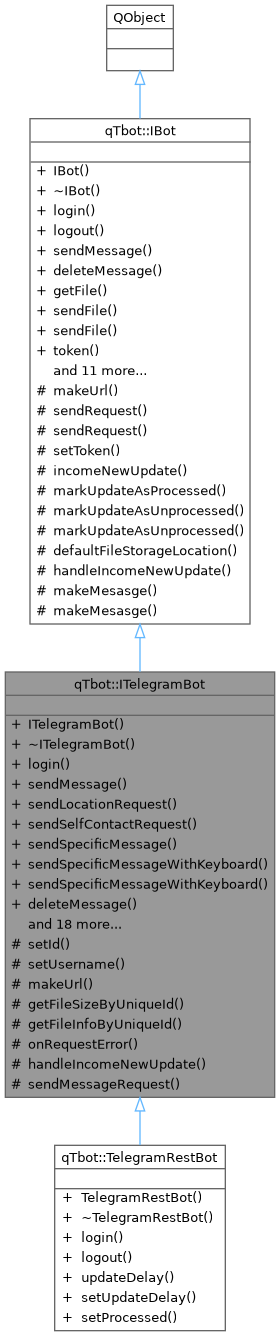
Inheritance diagram for qTbot::ITelegramBot:
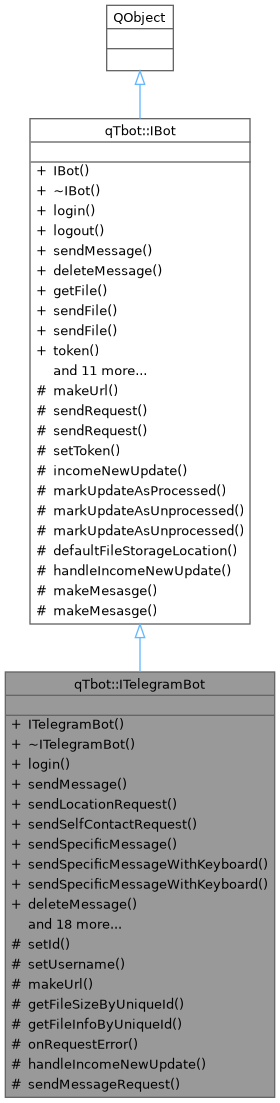
Collaboration diagram for qTbot::ITelegramBot:
Public Member Functions | |
| ITelegramBot () | |
| ITelegramBot default constructor. | |
| ~ITelegramBot () | |
| ~ITelegramBot destructor. | |
| bool | login (const QByteArray &token) override |
| login This method gets basic information of the bot from the remote server. | |
| bool | sendMessage (const QVariant &chatId, const QString &text, iRequest::RequestPriority priority=iRequest::NormalPriority) override |
| sendMessage This method sends text to the selected chat. | |
| bool | sendLocationRequest (const QVariant &chatId, const QString &text, const QString &buttonText, bool onetimeKeyboard) |
| sendLocationRequest This method sends into the chat a button that will automatically send the geo location to the bot. | |
| bool | sendSelfContactRequest (const QVariant &chatId, const QString &text, const QString &buttonText, bool onetimeKeyboard) |
| sendSelfContactRequest This method sends into the chat a button that will automatically send the user contact information to the bot. | |
| bool | sendSpecificMessage (const TelegramArgs &args, const qTbot::ExtraJsonObjects &extraObjects={}) |
| Sends a specific message to a chat. | |
| bool | sendSpecificMessageWithKeyboard (const TelegramArgs &args, const KeyboardOnMessage &keyboard) |
| Sends a specific message with a custom keyboard to a chat. This function sends a specific message to a chat with a custom keyboard. The message can contain text and additional settings to customize its behavior. | |
| bool | sendSpecificMessageWithKeyboard (const TelegramArgs &args, const QList< QList< QString > > &keyboard, bool onTimeKeyboard=false, bool autoResizeKeyboard=true) |
| Sends a specific message with a custom keyboard to a chat. | |
| bool | deleteMessage (const QVariant &chatId, const QVariant &messageId) override |
| deleteMessage This is the main method to delete messages. | |
| bool | editSpecificMessageWithKeyboard (const QVariant &messageId, const TelegramArgs &args, const QList< QList< QString > > &keyboard={}, bool onTimeKeyboard=false, bool autoResizeKeyboard=false) |
| Edits a specific message with a custom keyboard in a chat. | |
| bool | editSpecificMessageWithKeyboard (const QVariant &messageId, const TelegramArgs &args, const KeyboardOnMessage &keyboard={}) |
| Edits a specific message with a custom keyboard in a chat. | |
| bool | editMessageKeyboard (const QVariant &messageId, const QVariant &chatId, const KeyboardOnMessage &keyboard={}, const QString &callBackQueryId="") |
| Edits a keyboard of message in a chat. | |
| bool | editSpecificMessage (const QVariant &messageId, const TelegramArgs &args) |
| Edits a specific message in a chat. | |
| QFuture< QByteArray > | getFile (const QString &fileId, FileType fileType=FileType::Ram) override |
| getFile This method sends a request to get a file by id. The files can be saved into local storage if the type is chosen as Local. | |
| QFuture< QByteArray > | getFileMeta (const QString &fileId) |
| getFileMeta This method receives the meta information of the file. | |
| bool | sendFile (const QFileInfo &file, const QVariant &chatId) override |
| sendFile This method sends the selected file to the chat. | |
| bool | sendFile (const QByteArray &file, const QString &fileName, const QVariant &chatId) override |
| sendFile This method sends a file that is saved as a byte array. | |
| bool | sendFileMessage (const TelegramArgs &args, const QFileInfo &file) |
| sendFileMessage This method sends a message with a file. | |
| bool | sendFileMessage (const TelegramArgs &args, const QByteArray &file, const QString &fileName) |
| sendFileMessage This method sends a message with a file. | |
| bool | sendPhoto (const TelegramArgs &args, const QFileInfo &photo, const KeyboardOnMessage &keyboard={}) |
| sendPhoto This method will send image into chat with chatId | |
| bool | sendPhoto (const TelegramArgs &args, const QByteArray &photo, const QString &fileName, const KeyboardOnMessage &keyboard={}) |
| sendPhoto This method will send image into chat with chatId | |
| bool | sendFileById (const QString &fileID, const QVariant &chatId) |
| sendFileById This is specific method of the telegram bot. sends a file by id. | |
| bool | sendLocation (const TelegramArgs &args, float latitude, float longitude, const KeyboardOnMessage &keyboard={}) |
| sendLocation This method sends a location to the user. | |
| bool | sendContact (const TelegramArgs &args, const QString &phone, const QString &firstName, const QString &secondName="") |
| sendContact This method sends a contact data. | |
| unsigned long long | id () const |
| id This method returns the bot id number. | |
| const QString & | username () const |
| username This is the bot login | |
| int | gelLastMessageId (unsigned long long &chatId) const |
| gelLastMessageId this method returns last sent message id. | |
| Public Member Functions inherited from qTbot::IBot | |
| IBot () | |
| IBot default constructor. Initializes the network access manager and the request executor. | |
| ~IBot () | |
| ~IBot destructor. Cancels pending requests and frees all network resources. | |
| virtual void | logout () |
| logout This method removes the login token of the bot. | |
| const QByteArray & | token () const |
| token This is the token value for authentication on the remote server (bot). | |
| const QString & | name () const |
| name This is the name of the bot. Usually this field is received from the server after authentication. | |
| void | setName (const QString &newName) |
| setName This method sets new value for the IBot::name field. | |
| QSharedPointer< iUpdate > | takeNextUnreadUpdate () |
| takeNextUnreadUpdate This method takes an unread update and marks it as read. | |
| QSet< unsigned long long > | processed () const |
| processed This method returns the list of processed messages. | |
| virtual void | setProcessed (const QSet< unsigned long long > &newProcessed) |
| setProcessed This method sets a new list of processed messages. | |
| int | reqestLimitPerSecond () const |
| reqestLimitPerSecond This is the request performance limitation. By default it is 20 requests per second. | |
| void | setReqestLimitPerSecond (int newReqestLimitPerSecond) |
| setReqestLimitPerSecond This method sets a new limitation of the bot performance. | |
| int | parallelActiveNetworkThreads () const |
| parallelActiveNetworkThreads This method returns the number of parallel active network threads. | |
| void | setParallelActiveNetworkThreads (int newParallelActiveNetworkThreads) |
| setParallelActiveNetworkThreads This method sets the number of parallel active network threads. | |
| unsigned long long | totalSentRequests () const |
| totalSentRequests This is the total count of prepared requests of the bot from the start. | |
| QDateTime | startTime () const |
| startTime This is the time when the bot was started. | |
Protected Member Functions | |
| void | setId (unsigned long long newId) |
| setId This method sets new value for the ITelegramBot::id property. | |
| void | setUsername (const QString &newUsername) |
| setUsername This method sets new value for the ITelegramBot::username property. | |
| QString | makeUrl (const QSharedPointer< iRequest > &request) const override |
| makeUrl This method prepares a prefix url for http requests. | |
| int | getFileSizeByUniqueId (const QString &id) const |
| getFileSizeByUniqueId This method return size of the file by id | |
| QSharedPointer< TelegramFile > | getFileInfoByUniqueId (const QString &id) const |
| getFileInfoByUniqueId return a local saved meta information about the file. | |
| virtual void | onRequestError (const QSharedPointer< TelegramUpdateAnswer > &ansverWithError) const |
| onRequestError This method invoked when the telegram server sends an error response. Default implementation just print error message on the console. | |
| void | handleIncomeNewUpdate (const QSharedPointer< iUpdate > &) override |
| handleIncomeNewUpdate This method just emits the sigReceiveUpdate signal. | |
| virtual bool | sendMessageRequest (const QSharedPointer< iRequest > &rquest, const std::function< void(int msgId)> &msgIdCB={}) |
| sendMessageRequest This method invoke when bot will be sends any messages into the chat. | |
| Protected Member Functions inherited from qTbot::IBot | |
| QFuture< QByteArray > | sendRequest (const QSharedPointer< iRequest > &rquest) |
| sendRequest This method sends a custom request to the server. | |
| QFuture< QByteArray > | sendRequest (const QSharedPointer< iRequest > &rquest, const QString &pathToResult) |
| sendRequest This method sends a custom request to the server. | |
| void | setToken (const QByteArray &newToken) |
| setToken This is the setter of the IBot::token value. | |
| void | incomeNewUpdate (const QSharedPointer< iUpdate > &message) |
| incomeNewUpdate This method saves incoming messages into the store. | |
| void | markUpdateAsProcessed (const QSharedPointer< iUpdate > &message) |
| markMessageAsProcessed This method removes the message from the not processed messages store. | |
| void | markUpdateAsUnprocessed (const QSharedPointer< iUpdate > &message) |
| markMessageAsUnprocessed This method adds the message into the not processed messages store. | |
| void | markUpdateAsUnprocessed (unsigned long long messageID) |
| markMessageAsUnprocessed This method adds the message into the not processed messages store. | |
| virtual QString | defaultFileStorageLocation () const |
| defaultFileStorageLocation This method returns the default file storage location. | |
Additional Inherited Members | |
| Public Types inherited from qTbot::IBot | |
| enum | FileType { Ram , Local } |
| The FileType enum is a list of file types. It defines how a file should be downloaded - as a local object in the file system or into virtual memory. More... | |
| Signals inherited from qTbot::IBot | |
| void | sigReceiveUpdate (const QSharedPointer< qTbot::iUpdate > &) |
| sigReceiveUpdate emitted when the bot receives any updates from users. | |
| void | sigStopRequire () |
| sigStopRequire just a custom event to stop the bot if you use services. | |
| Static Protected Member Functions inherited from qTbot::IBot | |
| template<class MessageType, class ... Args> | |
| static QSharedPointer< MessageType > | makeMesasge (const QByteArray &data, Args &&...args) |
| makeMesasge This is a factory method that can create a message type from raw byte data. | |
| template<class MessageType, class ... Args> | |
| static QSharedPointer< MessageType > | makeMesasge (const QJsonObject &data, Args &&...args) |
| makeMesasge This is a factory method that can create a message type from raw json data. | |
Detailed Description
The ITelegramBot class This is the base implementation of all telegram bots.
Definition at line 43 of file itelegrambot.h.
Constructor & Destructor Documentation
◆ ITelegramBot()
| qTbot::ITelegramBot::ITelegramBot | ( | ) |
ITelegramBot default constructor.
Definition at line 41 of file itelegrambot.cpp.
◆ ~ITelegramBot()
| qTbot::ITelegramBot::~ITelegramBot | ( | ) |
~ITelegramBot destructor.
Definition at line 45 of file itelegrambot.cpp.
Member Function Documentation
◆ deleteMessage()
|
overridevirtual |
deleteMessage This is the main method to delete messages.
- Parameters
-
chatId This is the chat id where the message will be removed. messageId This is the removed message id.
- Returns
- true if the request was prepared successfully
Implements qTbot::IBot.
Definition at line 132 of file itelegrambot.cpp.
Here is the call graph for this function:

◆ editMessageKeyboard()
| bool qTbot::ITelegramBot::editMessageKeyboard | ( | const QVariant & | messageId, |
| const QVariant & | chatId, | ||
| const KeyboardOnMessage & | keyboard = {}, | ||
| const QString & | callBackQueryId = "" ) |
Edits a keyboard of message in a chat.
This function allows you to edit a keyboard of specific message.
- Parameters
-
messageId The unique identifier of the message to edit. chatId The unique identifier of the chat containing the message. keyboard A list of maps where each map represents a button with a callback function (optional). callBackQueryId The unique identifier for callback queries triggered by the edited message (optional).
- Returns
- Returns true if the message was successfully edited, false otherwise.
- Note
- The keyboard parameter should be a list of maps where each map represents a button. The button's label is the map key, and the associated callback function is the map value (optional).
- The callBackQueryId parameter is used to handle callback queries when buttons are pressed (optional).
- By default, web page previews for links in the new text are not disabled (optional).
Definition at line 238 of file itelegrambot.cpp.
Here is the call graph for this function:

◆ editSpecificMessage()
| bool qTbot::ITelegramBot::editSpecificMessage | ( | const QVariant & | messageId, |
| const TelegramArgs & | args ) |
Edits a specific message in a chat.
This function allows you to edit a specific message in a chat. You can update the message's text and customize its behavior as needed.
- Parameters
-
messageId The unique identifier of the message to edit. args - This is a structure with general arguments of the telegram message. Use this structure to set the target and other arguments.
- Returns
- Returns true if the message was successfully edited, false otherwise.
- Note
- By default, web page previews for links in the new text are not disabled (optional).
Definition at line 256 of file itelegrambot.cpp.
Here is the call graph for this function:

◆ editSpecificMessageWithKeyboard() [1/2]
| bool qTbot::ITelegramBot::editSpecificMessageWithKeyboard | ( | const QVariant & | messageId, |
| const TelegramArgs & | args, | ||
| const KeyboardOnMessage & | keyboard = {} ) |
Edits a specific message with a custom keyboard in a chat.
This function allows you to edit a specific message in a chat with a custom keyboard. You can update the message's text and customize its behavior as needed.
- Parameters
-
messageId The unique identifier of the message to edit. args - This is a structure with general arguments of the telegram message. Use this structure to set the target and other arguments. keyboard A list of maps where each map represents a button with a callback function (optional).
- Returns
- Returns true if the message was successfully edited, false otherwise.
- Note
- By default, web page previews for links in the new text are not disabled (optional).
Definition at line 219 of file itelegrambot.cpp.
Here is the call graph for this function:

◆ editSpecificMessageWithKeyboard() [2/2]
| bool qTbot::ITelegramBot::editSpecificMessageWithKeyboard | ( | const QVariant & | messageId, |
| const TelegramArgs & | args, | ||
| const QList< QList< QString > > & | keyboard = {}, | ||
| bool | onTimeKeyboard = false, | ||
| bool | autoResizeKeyboard = false ) |
Edits a specific message with a custom keyboard in a chat.
This function allows you to edit a specific message in a chat with a custom keyboard. You can update the message's text and customize its behavior as needed.
- Parameters
-
args - This is a structure with general arguments of the telegram message. Use this structure to set the target and other arguments. messageId The unique identifier of the message to edit. keyboard A list of lists containing the new keyboard buttons to display (optional). onTimeKeyboard Set to true to display the keyboard only once (optional). autoResizeKeyboard Set to true to automatically resize the keyboard (optional).
- Returns
- Returns true if the message was successfully edited, false otherwise.
- Note
- By default, web page previews for links in the new text are not disabled (optional).
Definition at line 145 of file itelegrambot.cpp.
Here is the call graph for this function:

Here is the caller graph for this function:

◆ gelLastMessageId()
| int qTbot::ITelegramBot::gelLastMessageId | ( | unsigned long long & | chatId | ) | const |
gelLastMessageId this method returns last sent message id.
- Parameters
-
chatId chat id, when you want to get last message id.
- Returns
- message id.
Definition at line 644 of file itelegrambot.cpp.
◆ getFile()
|
overridevirtual |
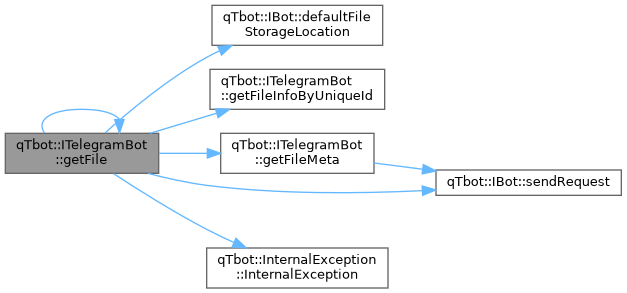
getFile This method sends a request to get a file by id. The files can be saved into local storage if the type is chosen as Local.
- Parameters
-
fileId This is Telegram file id. fileType this is type of file. Depending on this argument, the future will contain a different result: if it is the Local type, the future contains a link to the local file path, otherwise the file source as bytes.
- Returns
- a future with the file source or the path to the file, depending on the type.
Implements qTbot::IBot.
Definition at line 291 of file itelegrambot.cpp.
Here is the call graph for this function:
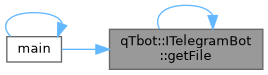
Here is the caller graph for this function:
◆ getFileInfoByUniqueId()
|
protected |
getFileInfoByUniqueId return a local saved meta information about the file.
- Parameters
-
id This is id of the file.
- Returns
- shared pointer to the meta information of the file. If the information does not exist, returns nullptr.
Definition at line 517 of file itelegrambot.cpp.
Here is the caller graph for this function:

◆ getFileMeta()
| QFuture< QByteArray > qTbot::ITelegramBot::getFileMeta | ( | const QString & | fileId | ) |
getFileMeta This method receives the meta information of the file.
- Parameters
-
fileId This is id of the file.
- Returns
- future object with the result.
Definition at line 381 of file itelegrambot.cpp.
Here is the call graph for this function:

Here is the caller graph for this function:

◆ getFileSizeByUniqueId()
|
protected |
getFileSizeByUniqueId This method return size of the file by id
- Parameters
-
id This is id of required file.
- Returns
- file size - else 0
Definition at line 509 of file itelegrambot.cpp.
◆ handleIncomeNewUpdate()
|
overrideprotectedvirtual |
handleIncomeNewUpdate This method just emits the sigReceiveUpdate signal.
- Note
- you may override this method to filter the sigReceiveUpdate signal or to handle new updates.
Reimplemented from qTbot::IBot.
Definition at line 527 of file itelegrambot.cpp.
Here is the call graph for this function:

◆ id()
| unsigned long long qTbot::ITelegramBot::id | ( | ) | const |
id This method returns the bot id number.
- Returns
- the bot id number.
Definition at line 648 of file itelegrambot.cpp.
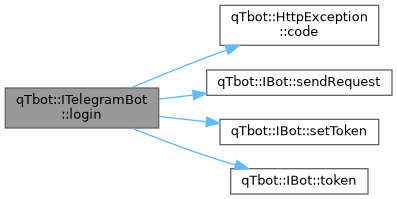
◆ login()
|
overridevirtual |
login This method gets basic information of the bot from the remote server.
- Parameters
-
token This is the token value for login
- Returns
- true if the login request was sent successfully else false.
Implements qTbot::IBot.
Reimplemented in qTbot::TelegramRestBot.
Definition at line 48 of file itelegrambot.cpp.
Here is the call graph for this function:
Here is the caller graph for this function:

◆ makeUrl()
|
overrideprotectedvirtual |
makeUrl This method prepares a prefix url for http requests.
- Parameters
-
request - This is the request object for which the url will be prepared.
- Returns
- http request prefix
Implements qTbot::IBot.
Definition at line 632 of file itelegrambot.cpp.
Here is the call graph for this function:

◆ onRequestError()
|
protectedvirtual |
onRequestError This method invoked when the telegram server sends an error response. Default implementation just print error message on the console.
- Parameters
-
ansverWithError - This is the answer object with the error description and error codes.
Definition at line 521 of file itelegrambot.cpp.
◆ sendContact()
| bool qTbot::ITelegramBot::sendContact | ( | const TelegramArgs & | args, |
| const QString & | phone, | ||
| const QString & | firstName, | ||
| const QString & | secondName = "" ) |
sendContact This method sends a contact data.
- Parameters
-
args the base arguments of the message. firstName This is the first name of the contact. phone This is the phone number of the contact. secondName This is the second name of the user.
- Returns
- true if the contact was sent successfully
Definition at line 496 of file itelegrambot.cpp.
Here is the call graph for this function:

◆ sendFile() [1/2]
|
overridevirtual |
sendFile This method sends a file that is saved as a byte array.
- Parameters
-
file This is the file source data. fileName This is the name of the file. chatId This is the chat of the receiver.
- Returns
- true if the file is sent successfully.
Implements qTbot::IBot.
Definition at line 395 of file itelegrambot.cpp.
Here is the call graph for this function:

◆ sendFile() [2/2]
|
overridevirtual |
sendFile This method sends the selected file to the chat.
- Parameters
-
file This is a file that you want to send. chatId id of the chat.
- Returns
- Returns true if the file was sent successfully.
Implements qTbot::IBot.
Definition at line 391 of file itelegrambot.cpp.
Here is the call graph for this function:

◆ sendFileById()
| bool qTbot::ITelegramBot::sendFileById | ( | const QString & | fileID, |
| const QVariant & | chatId ) |
sendFileById This is specific method of the telegram bot. sends a file by id.
- Parameters
-
fileID This is the file id. chatId the chat that should receive the file.
- Returns
- true if the file was sent successfully.
Definition at line 468 of file itelegrambot.cpp.
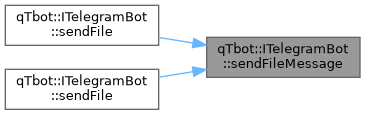
◆ sendFileMessage() [1/2]
| bool qTbot::ITelegramBot::sendFileMessage | ( | const TelegramArgs & | args, |
| const QByteArray & | file, | ||
| const QString & | fileName ) |
sendFileMessage This method sends a message with a file.
- Parameters
-
file This is the data that will be sent as a file with name fileName. fileName This is name of the file. args This is general arguments of the message, include a chatID.
- Returns
- true if the message was sent successfully else false
Definition at line 412 of file itelegrambot.cpp.
Here is the call graph for this function:

◆ sendFileMessage() [2/2]
| bool qTbot::ITelegramBot::sendFileMessage | ( | const TelegramArgs & | args, |
| const QFileInfo & | file ) |
sendFileMessage This method sends a message with a file.
- Parameters
-
file This is the path to the file that will be sent. args This is general arguments of the message, include a chatID.
- Returns
- true if the message was sent successfully else false
Definition at line 399 of file itelegrambot.cpp.
Here is the call graph for this function:

Here is the caller graph for this function:
◆ sendLocation()
| bool qTbot::ITelegramBot::sendLocation | ( | const TelegramArgs & | args, |
| float | latitude, | ||
| float | longitude, | ||
| const KeyboardOnMessage & | keyboard = {} ) |
sendLocation This method sends a location to the user.
- Parameters
-
args - This is a structure with general arguments of the telegram message. Use this structure to set the target and other arguments. latitude This is the latitude of the location. longitude This is the longitude of the location. keyboard A list of maps where each map represents a button with a callback function (optional).
- Returns
- true if the location was sent successfully else false
Definition at line 478 of file itelegrambot.cpp.
Here is the call graph for this function:

◆ sendLocationRequest()
| bool qTbot::ITelegramBot::sendLocationRequest | ( | const QVariant & | chatId, |
| const QString & | text, | ||
| const QString & | buttonText, | ||
| bool | onetimeKeyboard ) |
sendLocationRequest This method sends into the chat a button that will automatically send the geo location to the bot.
- Parameters
-
chatId This is the chat id where the request will be sent. text This is the message text. buttonText This is the text on the button. onetimeKeyboard If true the keyboard will be removed after the first usage.
- Returns
- true if the request was sent successfully else false.
Definition at line 75 of file itelegrambot.cpp.
Here is the call graph for this function:

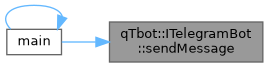
◆ sendMessage()
|
overridevirtual |
sendMessage This method sends text to the selected chat.
- Parameters
-
chatId This is the selected chat id text This is the text that needs to be sent. priority This is the priority of the request in the send queue.
- Returns
- true if the data was sent successfully else false.
Implements qTbot::IBot.
Definition at line 67 of file itelegrambot.cpp.
Here is the call graph for this function:

Here is the caller graph for this function:
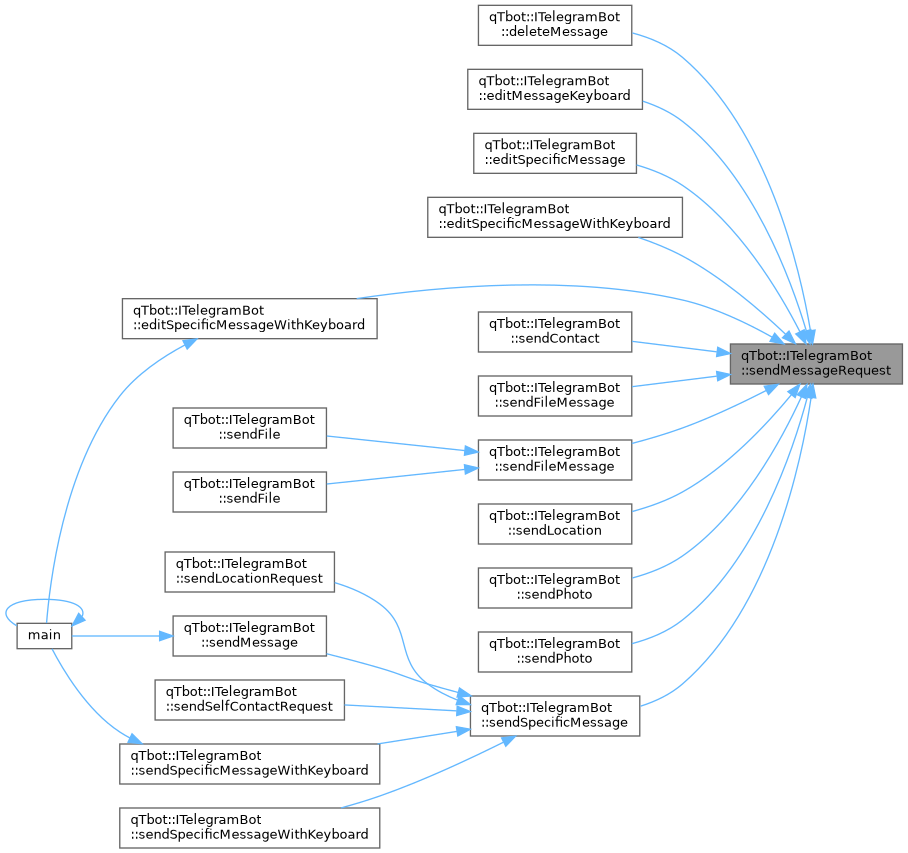
◆ sendMessageRequest()
|
protectedvirtual |
sendMessageRequest This method invoke when bot will be sends any messages into the chat.
- Parameters
-
rquest This is a message request. msgIdCB call back function for the get a sent message id
- Returns
- true if the message sent successful else false.
Definition at line 543 of file itelegrambot.cpp.
Here is the call graph for this function:

Here is the caller graph for this function:
◆ sendPhoto() [1/2]
| bool qTbot::ITelegramBot::sendPhoto | ( | const TelegramArgs & | args, |
| const QByteArray & | photo, | ||
| const QString & | fileName, | ||
| const KeyboardOnMessage & | keyboard = {} ) |
sendPhoto This method will send image into chat with chatId
- Parameters
-
photo this is photo data. args - This is a structure with general arguments of the telegram message. Use this structure to set the target and other arguments. fileName This is displayed name of the photo. keyboard A list of maps where each map represents a button with a callback function (optional).
- Returns
- true if the photo was sent successfully
Definition at line 443 of file itelegrambot.cpp.
Here is the call graph for this function:

◆ sendPhoto() [2/2]
| bool qTbot::ITelegramBot::sendPhoto | ( | const TelegramArgs & | args, |
| const QFileInfo & | photo, | ||
| const KeyboardOnMessage & | keyboard = {} ) |
sendPhoto This method will send image into chat with chatId
- Parameters
-
args - This is a structure with general arguments of the telegram message. Use this structure to set the target and other arguments. photo this is photo path. keyboard A list of maps where each map represents a button with a callback function (optional).
- Returns
- true if the photo was sent successfully
Definition at line 427 of file itelegrambot.cpp.
Here is the call graph for this function:

◆ sendSelfContactRequest()
| bool qTbot::ITelegramBot::sendSelfContactRequest | ( | const QVariant & | chatId, |
| const QString & | text, | ||
| const QString & | buttonText, | ||
| bool | onetimeKeyboard ) |
sendSelfContactRequest This method sends into the chat a button that will automatically send the user contact information to the bot.
- Parameters
-
chatId This is the chat id where the request will be sent. text This is the message text. buttonText This is the text on the button. onetimeKeyboard If true the keyboard will be removed after the first usage.
- Returns
- true if the request was sent successfully else false.
Definition at line 95 of file itelegrambot.cpp.
Here is the call graph for this function:

◆ sendSpecificMessage()
| bool qTbot::ITelegramBot::sendSpecificMessage | ( | const TelegramArgs & | args, |
| const qTbot::ExtraJsonObjects & | extraObjects = {} ) |
Sends a specific message to a chat.
This function sends a specific message to a chat. You can include text and additional objects as needed to customize the message's content and behavior.
- Parameters
-
args - This is a structure with general arguments of the telegram message. Use this structure to set the target and other arguments. extraObjects A map containing additional objects associated with the message (optional).
- Returns
- Returns true if the message was sent successfully, false otherwise.
- Note
- The extraObjects parameter is a map where each key represents the object's name, and the associated value is a shared pointer to a JSON object (optional).
Definition at line 112 of file itelegrambot.cpp.
Here is the call graph for this function:

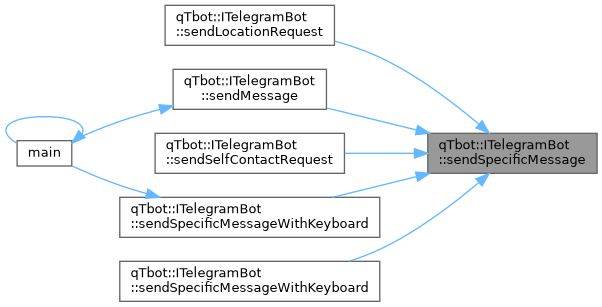
Here is the caller graph for this function:
◆ sendSpecificMessageWithKeyboard() [1/2]
| bool qTbot::ITelegramBot::sendSpecificMessageWithKeyboard | ( | const TelegramArgs & | args, |
| const KeyboardOnMessage & | keyboard ) |
Sends a specific message with a custom keyboard to a chat. This function sends a specific message to a chat with a custom keyboard. The message can contain text and additional settings to customize its behavior.
- Parameters
-
args - This is a structure with general arguments of the telegram message. Use this structure to set the target and other arguments. keyboard A list of maps where each map represents a button with a callback function.
- Returns
- Returns true if the message was sent successfully, false otherwise.
- Note
- The keyboard parameter should be a list of maps where each map represents a button. The button's label is the map key, and the associated callback function is the map value.
Definition at line 127 of file itelegrambot.cpp.
Here is the call graph for this function:

Here is the caller graph for this function:

◆ sendSpecificMessageWithKeyboard() [2/2]
| bool qTbot::ITelegramBot::sendSpecificMessageWithKeyboard | ( | const TelegramArgs & | args, |
| const QList< QList< QString > > & | keyboard, | ||
| bool | onTimeKeyboard = false, | ||
| bool | autoResizeKeyboard = true ) |
Sends a specific message with a custom keyboard to a chat.
This function sends a specific message to a chat with a custom keyboard. The message can contain text and additional settings to customize its behavior.
- Parameters
-
args - This is a structure with general arguments of the telegram message. Use this structure to set the target and other arguments. keyboard A list of lists containing the keyboard buttons to display. onTimeKeyboard Set to true to display the keyboard only once. autoResizeKeyboard Set to true to automatically resize the keyboard.
- Returns
- Returns true if the message was sent successfully, false otherwise.
- Note
- By default, web page previews for links in the message are not disabled.
Definition at line 276 of file itelegrambot.cpp.
Here is the call graph for this function:

◆ setId()
|
protected |
setId This method sets new value for the ITelegramBot::id property.
- Parameters
-
newId this is new value of the ITelegramBot::id property.
Definition at line 636 of file itelegrambot.cpp.
◆ setUsername()
|
protected |
setUsername This method sets new value for the ITelegramBot::username property.
- Parameters
-
newUsername this is new value of the ITelegramBot::username property.
Definition at line 628 of file itelegrambot.cpp.
◆ username()
| const QString & qTbot::ITelegramBot::username | ( | ) | const |
username This is the bot login
- Returns
- the bot login.
Definition at line 640 of file itelegrambot.cpp.
The documentation for this class was generated from the following files:
- src/qTbot/src/public/qTbot/itelegrambot.h
- src/qTbot/src/public/qTbot/itelegrambot.cpp